
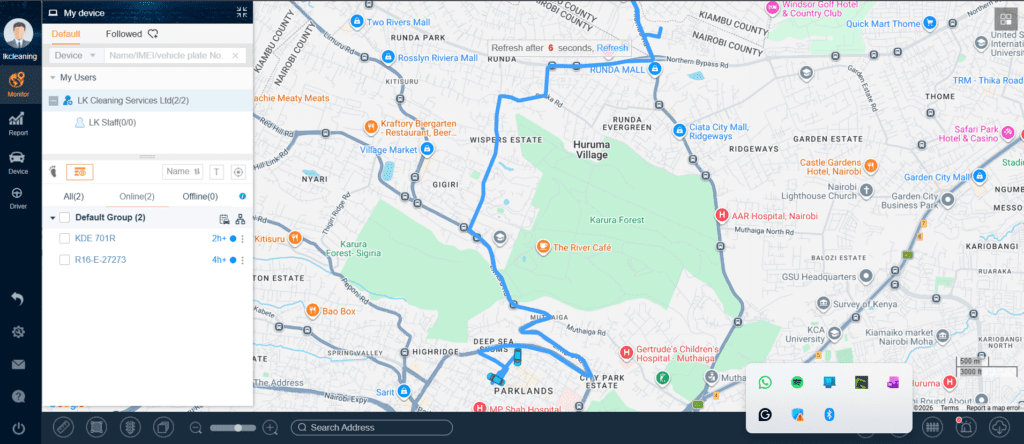
Itrack allows the user to set predefined routes that a vehicle should take and if it deviates from the said route, the system will alert the system admin.
How It Works
1st you will need a route licence for each vehicle/route. A single licence is charged at Kes 2,000 annually. Once you have a licence on your account, proceed to create the predefined route as shown below.
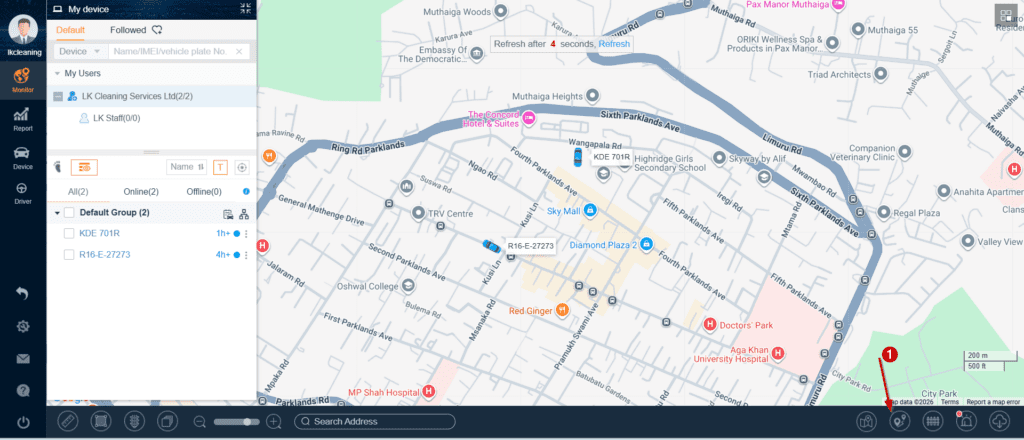
After loggin in to the tracking portal click on the Route section.
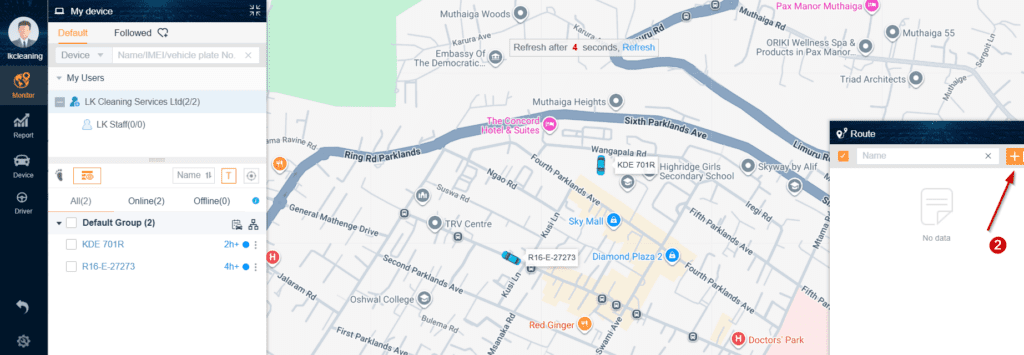
Click on the plus sign and a new window will appear.
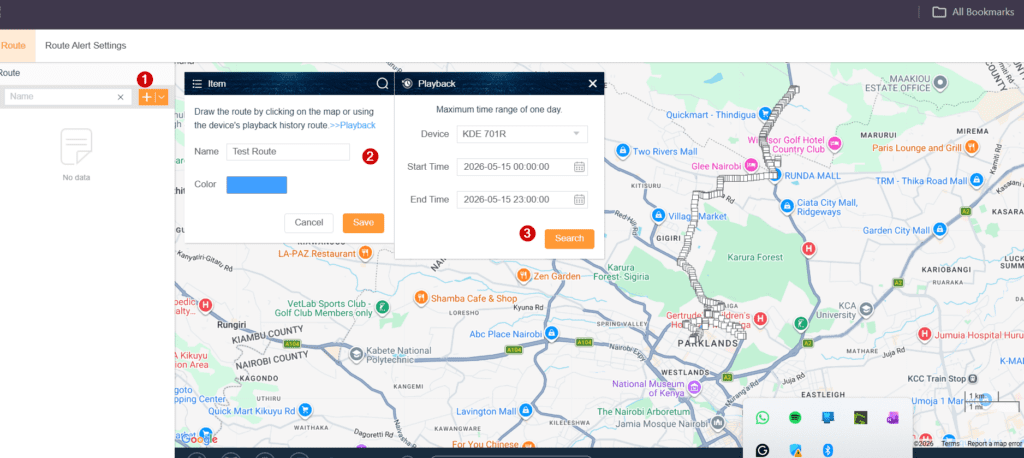
On the new screen click the plus sign again then give the route a name. You can also change the route colour so that you can diffrentiate different routes. The system will give you an option of either drawing the route on the map or use the device playback to get a route if the vehicle had previosly been on that route.
When using the device playback you can select the exact time and date that the vehicle was on the said route then click on search. The system will generate the route and y’ll be able to see the route in the colour previously choosen. Then save the route by clicking Save on the Middle box.
Once that is done, click on Route Alert Settings. On the new page y’ll see all the Route Licences in your account. Go to an available licence. Under operations, click on the edit icon below the word and proceed to bid a device to that license as well as the route.
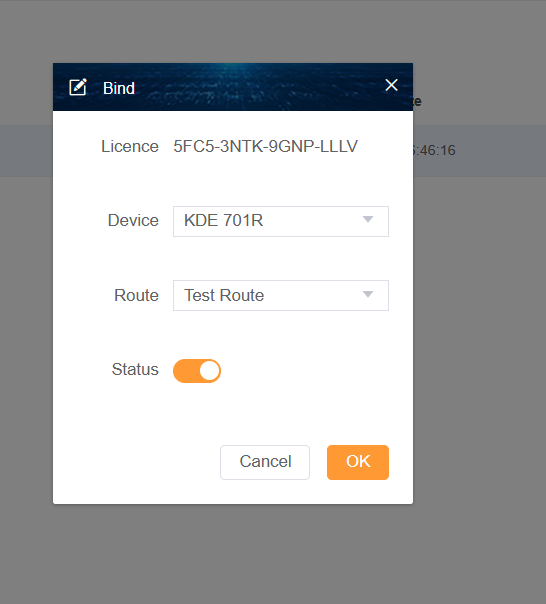
Once that’s done you will receive notifications each time the vehicle leaves that route.
You can always assign the route to another device, the key thing to note here is, One Licence handles one device and one route at any particular time.
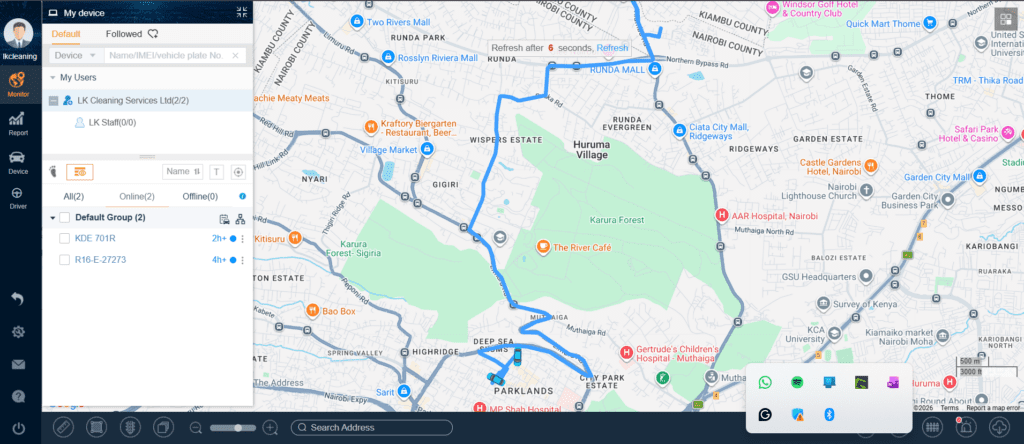
Over and above off-Route notifications you can also manually observe the vehicle as it moves if it’s following the assigned route.

Kevin Muya is an award-winning entrepreneur and the visionary Founder and CEO of Scepture Empire Limited. With a passion for e-commerce and digital marketing, Kevin has revolutionized online marketplaces in Kenya through innovative ideas that transform buyer-seller interactions.